Smart home privacy comes down to two things: controlling what data your devices generate and controlling where that data goes after it leaves your router. The single most effective move is hardening your router and putting IoT devices on a separate network segment, as this change blocks a large portion of the lateral-movement and eavesdropping risks smart devices can create. Enable automatic updates and multi-factor authentication next. Everything else in this guide builds on those three steps.
TL;DR:
- Securing your router with a unique admin password, enabling automatic updates, and isolating IoT devices on a separate network greatly reduces hacking risks.
- Most device data—audio, video, usage, network activity, and behavioral inference—can be exploited if not properly protected through network segmentation and local processing.
- Regularly updating device firmware, using strong, unique passwords, and disabling unnecessary data sharing minimizes account takeovers and data exposure.
- Local processing hubs and traffic filtering add significant privacy protections by limiting sensitive data leaving your home and blocking unnecessary communication.
- Choosing new smart-home systems built into properties with clear update policies and local processing options offers better long-term privacy and security compared to retrofitting existing setups.
Table of Contents
- What Smart Home Devices Actually Collect
- The Real Privacy and Security Risks in a Connected Home
- High-Impact Protections You Can Set Up Today
- Privacy-First Architecture: Local Hubs, Filtering, and Zero Trust
- Evaluating Devices, Vendors, and Condo Smart-Home Systems
- Managing the Full Device Lifecycle
- Building-Level Perspective: Balancing Convenience and Privacy
- Your Rights Over the Data Your Smart Home Generates
- Where GDPR, CCPA, and Other Laws Apply
- The Always-On Microphone Problem
- Third-Party Integrations and Ecosystem Risk
- Editorial Take: What Actually Moves the Needle
- Choosing a Home With Privacy Built Into the System
- Sources
- FAQ
What Smart Home Devices Actually Collect
A smart speaker isn't just listening for its wake word. It's building a profile of your household's rhythms, and that profile is worth more to some vendors than the device itself.
Cameras and microphones sit at the top of the risk list because they capture raw audio and video, not just metadata. Even "motion-triggered" cameras log timestamps, clip lengths, and often upload thumbnails to the cloud before you've reviewed anything. Doorbell cameras add a second layer: they frequently record neighbors and passersby who never consented to being filmed, which is why several manufacturers have faced scrutiny over footage-sharing practices.
Sensors and connected appliances seem harmless individually, but the pattern they create is not. A smart plug logging on/off times, a thermostat tracking occupancy, and a washing machine reporting cycle counts sound trivial in isolation. Strung together, they reveal exactly when you're home, when you sleep, and when you travel.
Voice assistants and smart TVs generate two data types people underestimate: interaction transcripts and inferred preference profiles. Some platforms retain voice recordings specifically to improve speech recognition, and TVs use automatic content recognition to log what you watch, down to the commercial breaks you sat through.
Here's what's actually being collected across a typical setup:
- Audio and video streams, including "false trigger" recordings your device captures before it realizes it wasn't the wake word.
- Usage metadata, like login times, device state changes, and app-open frequency.
- Network metadata, including which other devices your smart hub talks to and when.
- Behavioral inferences, such as sleep schedule, occupancy patterns, and daily routine, built from combining the above.
That last category is the one people miss. No single data point reveals your routine, but the combination does. A security researcher doesn't need your camera feed to know you're away for the weekend. Your smart lock's log, your thermostat's setback schedule, and your smart plug's idle pattern already told them.
The Real Privacy and Security Risks in a Connected Home
Most smart home breaches don't start with a hacker cracking encryption. They start with something boring: a router still running its factory-set admin password.
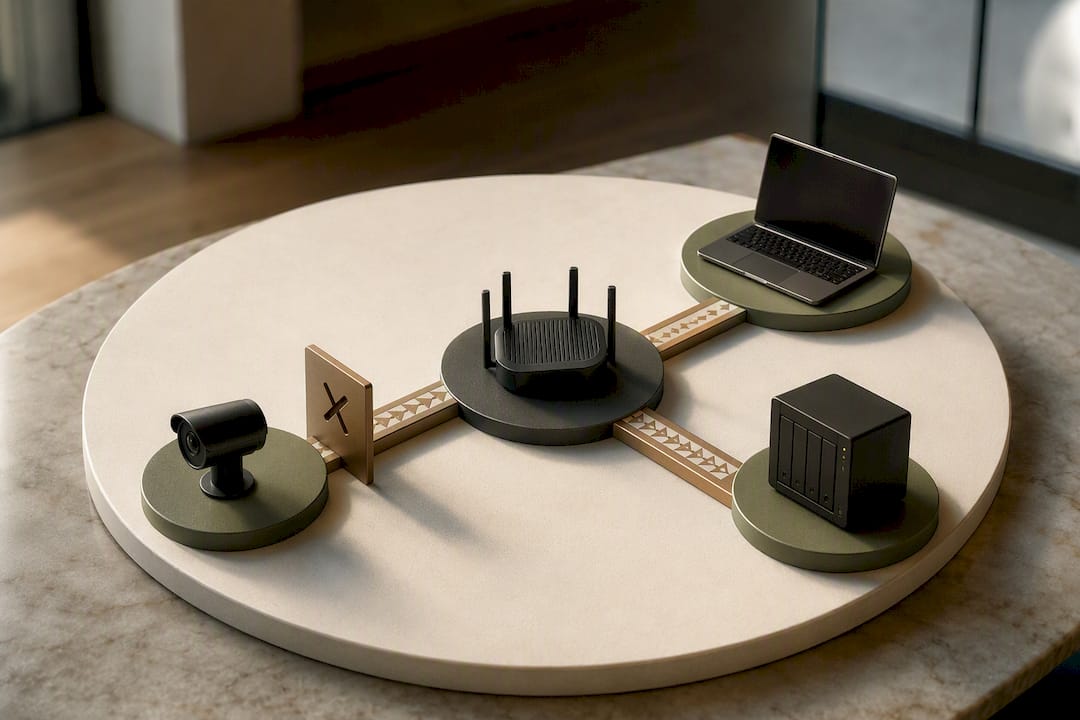
Network weaknesses are the entry point in the majority of home IoT compromises. Default admin credentials, open management ports, and unencrypted traffic between devices and the router often give attackers an easy first foothold. Once inside, filtering and network segmentation act as the strongest defense against lateral movement, because an unsegmented network lets a single compromised camera become a launchpad into your laptop or NAS.
Device-level vulnerabilities compound the problem. Cheaper IoT hardware often ships with weak or hardcoded credentials, delayed firmware patches, and outdated encryption libraries that never get updated after the warranty period ends. Consumer Reports and local news investigations have documented real cases of doorbells and cameras exposing live feeds because of exactly these gaps.
Cloud and third-party risk is the least visible layer but arguably the most consequential. Vendors retain footage and voice logs longer than most users realize, and many share de-identified (or not-so-de-identified) usage data with analytics partners as a condition buried in the terms of service.
A quick reality check: NIST's cybersecurity guidance for consumers treats network segmentation and authentication as the two highest-leverage controls a household can implement, ahead of nearly every other setting.
Three scenarios show how these risks combine in practice:
- Eavesdropping: an unpatched camera with default credentials gets discovered by a mass internet scanner within hours of being plugged in.
- Account takeover: a reused password from an old data breach unlocks your smart home app, giving an attacker remote control of locks and cameras.
- Lateral movement: a compromised smart plug on your main network becomes the pivot point into your file server or work laptop.
High-Impact Protections You Can Set Up Today
You don't need to rebuild your network to get meaningfully safer. A handful of changes, done in the right order, close most of the gaps described above.
- Harden your router first. Change the default admin username and password, enable WPA3 (or WPA2 if WPA3 isn't available), disable WPS, and turn on automatic firmware updates. This is the single change that ENISA identifies as foundational to smart home security, since nearly every other control depends on the router being trustworthy.
- Segment your IoT devices onto their own network. Most consumer routers now offer a guest network or VLAN option in their settings, usually under "Guest Wi-Fi" or "Advanced Network." Put cameras, plugs, and speakers there, and keep your laptop, phone, and NAS on the primary network. If your router's interface doesn't support this, many ISPs can enable a separate IoT network on request, which is a low-effort ask worth making.
- Fix your account hygiene. Use a password manager to generate unique credentials for every device app, and enable multi-factor authentication wherever the vendor offers it. Reused passwords are how most account takeovers happen, not sophisticated hacking.
- Tighten device-level settings. Go into each app and turn off sensors you don't use, disable data sharing toggles for "product improvement" or third-party analytics, and shorten clip retention windows for cameras and voice recordings to the minimum the app allows.
- Commit to an update policy. Turn on automatic updates for every device that offers them. For devices that don't auto-update, put a monthly reminder on your calendar. If a manufacturer has stopped shipping security patches, that device needs to be replaced, not tolerated.
Pro Tip: Before buying anything new, check the vendor's support page for a stated update commitment. A device with no published patch timeline is a device you'll eventually have to replace for security reasons, not just for features.
If you're setting this up in a new unit, walking through a home automation setup guide before you connect anything saves you from reconfiguring settings twice.
Privacy-First Architecture: Local Hubs, Filtering, and Zero Trust
Every protection above assumes your data still leaves the house. The deeper fix is reducing how much of it has to.
Local-first architecture means processing happens on a hub inside your home instead of a vendor's cloud server. Local controllers running on-device machine learning can detect motion, recognize a doorbell trigger, or process a voice command without ever transmitting raw audio or video off your network. Practitioner testing shows that moving sensitive devices to a local-only hub keeps most of that data inside the home, which sidesteps the entire category of cloud-breach risk.
Traffic filtering at the router level adds a second layer. Rather than letting every device phone home to whatever server it wants, a filtering rule set blocks unnecessary outbound connections, which limits both data leakage and an attacker's ability to map your network through traffic analysis.
Zero Trust Architecture, borrowed from enterprise security, is starting to show up in home contexts too. The principle is simple: no device is trusted by default, even ones already on your network. Applied at home, that means:
- Giving each device its own verified identity rather than blanket network access.
- Granting the minimum permissions a device needs to function, nothing more.
- Favoring devices and hubs that can explain what data they collect and why.
A 2026 peer-reviewed framework called POIZE combines Zero Trust principles with local anomaly detection and explainability specifically for smart homes, aiming to catch threats without shipping raw data to the cloud for analysis.
None of this is free. Local hubs take more setup time, and some convenience features (remote access from anywhere, voice assistant integrations) genuinely work better with cloud processing. The realistic move is a hybrid: run sensitive devices, cameras and microphones especially, on a local hub, and reserve cloud convenience for lower-stakes devices like smart plugs.
Evaluating Devices, Vendors, and Condo Smart-Home Systems
Before you buy anything, or before you accept a building's pre-installed system, run it through a short checklist.
For any device or vendor, check:
- Whether the privacy policy states data retention periods in plain language, not just "as long as necessary."
- Whether on-device processing is available as an option, versus cloud-only.
- Whether the vendor publishes a firmware update commitment and how long it lasts.
- Whether third-party data sharing is opt-in or buried as opt-out by default.
- Whether you can export or delete your data without contacting support.
Building-provided systems raise different questions. Ask property management who holds administrative access to shared smart-home infrastructure, whether remote diagnostic access is logged, and whether individual units can be isolated from building-wide network segments. A condo smart-home features checklist is a useful starting point for structuring those questions before you sign anything.
Pro Tip: Ask specifically whether the building's smart-home vendor can push updates or access footage without notifying residents. A "yes" with no logging isn't automatically disqualifying, but it should change how you configure your own unit's settings.
Weigh convenience features against what they cost you in exposure. Remote camera access is genuinely useful; letting a vendor's analytics partner see when you're typically away is not a trade most people would choose knowingly.
Managing the Full Device Lifecycle
Privacy doesn't end at setup. It has to survive updates, resale, and eventual disposal.
- Check support windows before buying. A device with no stated update horizon is a device you'll have to retire sooner than expected.
- Factory reset before resale or disposal. This isn't just clearing your Wi-Fi password. Confirm the reset also deletes stored cryptographic keys and account tokens, not just app settings.
- Retire devices that stop receiving patches. A camera or lock with no more security updates is a growing liability every month it stays connected.
- Keep a device inventory. A simple spreadsheet with purchase date, last update, and support end date turns an annual review into a five-minute task instead of a guessing game.
Building-Level Perspective: Balancing Convenience and Privacy
Building-provided smart-home systems create a different privacy calculus than devices you buy yourself. Whoever manages the shared infrastructure needs clear, written update and access policies, not vague assurances. New owners should ask directly for local-processing options and vendor service commitments before assuming a system is private by default. Setup guides like our condo app-based features breakdown are a good starting point for understanding what questions to ask.
Your Rights Over the Data Your Smart Home Generates
You have more control over smart home data than most privacy policies suggest, but you have to exercise it actively. Most vendors won't proactively hand you deletion options.
Start with your account settings. Nearly every major platform now includes a data dashboard where you can view, export, or delete stored voice recordings, camera clips, and usage logs. Delete recordings you don't need rather than letting retention defaults run indefinitely.
Submitting a formal data request is your strongest lever. Under frameworks like the EU's GDPR and California's CCPA, covered companies must respond to access and deletion requests within defined timeframes, and many vendors extend similar request mechanisms to users outside those jurisdictions because building separate systems per region is impractical.
Opt-out settings matter too, even when they're not labeled as privacy controls. Look for toggles under "product improvement," "personalization," or "diagnostics" and turn off what you don't need. If a vendor's app makes this hard to find, that's itself a signal worth weighing before your next purchase.
Finally, keep a record of what you've opted out of. Vendors periodically reset preferences after major app updates, and a written note of your settings makes it faster to catch when that happens.
Where GDPR, CCPA, and Other Laws Apply
Two regulatory frameworks come up constantly in smart home privacy discussions, and understanding what each actually covers helps you know what to expect from a vendor.
The EU's General Data Protection Regulation applies to any company processing data belonging to EU residents, regardless of where the company is headquartered. It requires clear consent for data collection, mandates breach notification, and gives users the right to access, correct, and delete their data. Smart home vendors selling into the EU must comply even if their primary market is elsewhere.
California's Consumer Privacy Act, and its expansion under the CPPA, gives California residents similar rights: the ability to know what data is collected, request deletion, and opt out of data sales. It applies to companies meeting certain revenue or data-volume thresholds, not every smart device maker.
Outside the EU and California, protections vary significantly by jurisdiction, and many countries still lack comprehensive consumer IoT privacy law. ENISA's guidance fills part of that gap for the EU by recommending privacy-by-design and lifecycle security practices that vendors should follow regardless of strict legal mandate. Read a device's terms of service specifically for its data retention and third-party sharing clauses. That's where the practical difference between vendors actually shows up, not in the marketing copy.
The Always-On Microphone Problem
Voice assistants introduce a privacy risk that's structurally different from cameras: the microphone is designed to listen continuously, waiting for a wake word it has to process locally to recognize.
That local wake-word detection is supposed to be the privacy safeguard. In practice, false triggers happen, and when they do, some platforms have historically sent that audio to the cloud and, in a smaller number of documented cases, to human reviewers for quality assurance. Several major voice assistant makers have faced scrutiny over exactly this practice.
The mitigation isn't complicated: review your assistant's voice history regularly and delete it, disable "help improve" programs that opt you into human review by default, and check whether your device offers a hardware mute switch that physically disconnects the microphone rather than a software toggle. A hardware switch is worth prioritizing, since a software mute is only as trustworthy as the app enforcing it.
If privacy matters more to you than voice convenience, a local-processing assistant that never sends raw audio off the network removes this risk category entirely, at the cost of a narrower feature set.
Third-Party Integrations and Ecosystem Risk
The more your devices talk to each other, the more your privacy depends on the weakest integration in the chain, not the strongest device.
Ecosystem platforms that connect a camera, a thermostat, a lock, and a voice assistant under one app are convenient, but each integration is a new data path. If your camera brand shares event data with your smart hub, and your smart hub shares data with a third-party automation service, your camera's footage triggers are now visible to three companies instead of one, each with its own retention policy and breach history.
Before connecting devices across brands, check whether the integration uses a documented, permissioned API or a broader account-linking process that grants more access than the specific feature requires. Review connected-app lists periodically, the same way you'd review app permissions on your phone, and disconnect integrations you no longer use.
Editorial Take: What Actually Moves the Needle
Most smart home privacy advice buries the important steps under a pile of minor settings tweaks. Turning off a single analytics toggle feels productive, but it does almost nothing next to fixing router defaults and segmenting your network. The advice that matters is boring and structural, not the flashy app-level privacy switch.
The bigger gap I see is that conventional guidance treats "privacy" and "convenience" as opposites you have to trade off evenly. They're not. A hybrid setup, local hubs for cameras and microphones, cloud convenience for low-stakes devices, gets you most of both. That's the model worth pushing for, whether you're configuring your own router or asking a building's smart-home vendor pointed questions about local processing and access logs. Prioritize the router and the network segment first. Everything else is a refinement, not a foundation.
— Simon
Choosing a Home With Privacy Built Into the System
If you're weighing a device-by-device privacy overhaul against buying into a building where smart-home infrastructure is already integrated, the calculus changes. Some residences offer smart-home systems built into units from the start, which means residents aren't retrofitting privacy controls onto a patchwork of third-party gadgets bought over the years.

The development also backs new owners with practical setup resources, including guidance on smart-home features to check for in a new condo and how to configure automation once you move in. That matters more than most buyers realize: a system installed at construction stage, with documented vendor relationships, is a very different starting point than assembling a smart home device by device with no unified update policy. If integrated smart-home living above a transit hub fits what you're looking for, explore the Hougang Central Residences development and register your interest in a showflat viewing to see the systems in person before deciding.
Sources
Key references for the guidance above include ENISA's smart home security report, NIST's consumer smart home tips, the POIZE Zero Trust framework study, and PCWorld's coverage on IoT network segmentation. For condo-specific setup steps, see our home automation setup guide.
- Security and Resilience of Smart Home Environments (ENISA)
- 7 tips to keep your smart home safer and more private (NIST)
- Segmentation and Filtering Are Still the Gold Standard for Privacy in IoT—An In-Depth STRIDE and LINDDUN Analysis of Smart Homes
- Your smart home is leaking your data (How-To Geek)
FAQ
Is the smart home app safe to use?
Most major smart home apps are reasonably safe when you enable multi-factor authentication and keep the app updated, but safety depends heavily on the vendor's own security practices, not just your settings. Check the app's data retention and third-party sharing policy before trusting it with cameras or microphones.
What are the biggest privacy concerns with smart home devices?
The core concerns are continuous audio and video capture, behavioral inference from combined usage patterns, and cloud storage that vendors retain longer than most users expect. Network segmentation and filtering address most of the technical exposure that stems from these concerns.
How do I secure my smart home devices?
Start by hardening your router with a strong admin password, WPA3 encryption, and automatic updates, then move IoT devices onto a separate network segment. Follow with unique passwords, multi-factor authentication, and disabling unused data-sharing settings on each device.
What are the downsides of having a smart home?
Beyond privacy exposure, smart homes carry maintenance overhead, since devices need regular firmware updates and eventually reach end-of-life support. Buildings with integrated smart-home systems, like those detailed in Hougang Central Residences' smart condo overview, reduce some of that burden through unified vendor management, but individual owners still need to review settings and update policies themselves.