
TL;DR:
- A future-proof smart-home system in condos includes integrated infrastructure, a single ecosystem, and pre-wiring during construction. Buyers should verify firmware ownership, choose open standards like Matter, and prioritize wired protocols over Wi-Fi for reliability. Proper planning prevents obsolescence and ensures long-term value in smart-home investments.
A smart-home system is defined as an integrated network of devices that automates climate, lighting, security, and access control from a single interface. For buyers and renters evaluating new condominiums, a thorough smart-home features checklist for new condos is the difference between a future-proof investment and an expensive retrofit. The gold standard in 2026 is a single-protocol integrated system controlling lighting, climate, blinds, and security under one app. Interoperability standards like Matter and KNX now define which systems age well and which become obsolete within five years. Hougang-central-residences is one of the few new launch condos in Singapore that addresses this directly, with smart-home integration built into its 835 residences from the ground up.
1. What is the smart-home features checklist for new condos?
The new condo technology checklist covers eight core categories: climate control, lighting, security, access, window treatments, audio and visual, energy monitoring, and hub integration. Each category represents a decision point that affects daily comfort, monthly costs, and resale value. Skipping even one category during the buying or leasing process often means expensive add-ons later.

2. Smart thermostats and climate control
A smart thermostat is the highest-return item on any checklist for smart homes. The EPA estimates that a smart thermostat saves 10–15% on heating and cooling costs, which translates to roughly $100–$150 per year for average households. That figure compounds over a lease or ownership period, making it one of the clearest financial arguments for smart-home investment.
Look for thermostats that support geofencing, scheduling, and remote adjustment via a mobile app. In a condo context, the thermostat should also integrate with the building's central HVAC system rather than operating as a standalone unit. Confirm compatibility before signing any agreement.
Pro Tip: Ask the developer whether the thermostat uses a proprietary app or supports Apple HomeKit, Google Home, or Amazon Alexa. Proprietary apps often lose support within three to five years.
3. Integrated smart lighting systems
Smart lighting does more than reduce electricity bills. Automated lighting systems can adjust color temperature and brightness throughout the day, which improves sleep quality by mimicking natural light cycles. This is a benefit most buyers overlook when reviewing a new condo technology checklist.
The practical checklist items for lighting include:
- Dimmer-compatible LED fixtures throughout all rooms
- Motion-activated lighting in hallways, bathrooms, and entryways
- Scene programming for morning, evening, and away modes
- Voice and app control via a unified ecosystem
- Compatibility with the building's central lighting panel
Avoid condos where smart lighting is limited to a single room or requires a separate app from every other system in the unit.
4. Smart security: locks, cameras, and sensors
Smart security features with integrated cameras, locks, and sensors enable remote monitoring and improve safety for condo residents. This matters most in multi-unit buildings where shared entry points create shared risk.
The security checklist for a new condo should include a smart lock on the front door with PIN, card, and app access. A video doorbell or intercom with two-way audio is the next priority. Motion sensors on windows and balcony doors round out the perimeter. Confirm that the camera system stores footage locally or on an encrypted cloud server, not on a developer-controlled platform with unclear data policies.
5. Smart window treatments
Automated blinds and shades are consistently underrated in a smart home features guide. They reduce solar heat gain during peak afternoon hours, which directly lowers cooling costs. In a high-rise condo with floor-to-ceiling glazing, this is not a luxury feature. It is a practical energy tool.
Look for motorized shades that integrate with the climate control system. The best setups trigger the blinds to close automatically when indoor temperature exceeds a set threshold. This kind of automation scene delivers daily value without any manual input.
6. Hub and ecosystem integration
Selecting one primary ecosystem avoids fragmented control apps and improves the overall experience. The three dominant ecosystems are Apple Home, Google Home, and Amazon Alexa. Each supports a wide range of third-party devices, but they do not all support the same devices equally.
The Matter protocol, ratified by the Connectivity Standards Alliance, now allows devices from different brands to communicate across ecosystems. Condos built or upgraded to Matter compliance give residents the most flexibility. Ask the developer specifically whether the installed systems carry Matter certification.
Pro Tip: Choose your primary ecosystem before purchasing any individual device. Adding devices from a second ecosystem later creates a fragmented setup that most residents eventually abandon.
7. Wired infrastructure and cabling standards
Wired protocols like KNX, Zigbee, and Z-Wave offer higher reliability and security than Wi-Fi-only solutions in dense multi-unit buildings. Wi-Fi congestion in a condo tower with hundreds of units is a real and persistent problem. A wired backbone eliminates it.
High-bandwidth smart devices benefit from wired connections for stability and speed. The standard to look for is Cat6A ethernet cabling, which supports speeds up to 10 Gbps and handles future bandwidth demands without replacement. Pre-wiring during construction costs a fraction of what a retrofit costs after walls are closed.
The infrastructure checklist includes:
- Cat6A ethernet to every room
- Dedicated low-voltage conduit for sensors and cameras
- Structured wiring panel in a utility closet
- Separate circuits for smart lighting and HVAC controls
- Fiber-ready entry point from the building's main riser
8. Pre-wiring during construction
The rough-in construction phase is the optimal time to install smart wiring and infrastructure. Once drywall goes up, adding new cable runs requires opening walls, which adds cost and disruption. Buyers evaluating new launch condos should ask the developer for a pre-wiring specification sheet before committing.
Pre-wiring during construction also increases the condo's resale value. A unit with a structured wiring panel and Cat6A throughout commands a premium over an identical unit with Wi-Fi-only infrastructure. This is a detail that most buyers miss until they try to sell.
9. Energy monitoring systems
A whole-home energy monitor tracks consumption by circuit and identifies which devices draw the most power. This data lets residents make informed decisions about usage patterns rather than guessing from a monthly utility bill. In Singapore's climate, air conditioning typically accounts for the largest share of electricity use.
Look for energy monitors that integrate with the main smart-home hub and display real-time data in the same app used for lighting and climate. Standalone energy apps that do not connect to the broader system add friction and get ignored.
10. Cost ranges and budgeting for smart-home features
Whole-home smart automation systems range from $500 for entry-level setups to $10,000 or more for full integration. That range reflects the difference between a basic hub with a few smart plugs and a fully wired system with professional installation, custom scenes, and integrated security.
The cost breakdown by category looks roughly like this:
| Feature Category | Entry-Level Cost | Full Integration Cost |
|---|---|---|
| Smart thermostat | $100–$250 | $300–$600 with installation |
| Smart lighting (per room) | $50–$150 | $300–$800 wired system |
| Smart locks and video doorbell | $150–$400 | $500–$1,200 with intercom |
| Hub and ecosystem setup | $100–$300 | $500–$2,000 custom panel |
| Full system integration | $500 DIY | $10,000+ professional |
Professional installation adds labor cost but also adds configuration quality. A professionally programmed automation scene runs reliably for years. A self-installed system often requires troubleshooting within the first six months.
11. Long-term system maintenance and future compatibility
Post-purchase firmware support and ownership rights are critical to preventing obsolescence in condo smart systems. A system that loses firmware updates within three years becomes a security liability, not an asset.
Before signing a purchase agreement, ask three specific questions. First, who owns the software license for the installed system? Second, what is the developer's firmware update commitment and for how long? Third, does the system support local control if the cloud server goes offline? Systems that require a live cloud connection to function are the highest-risk category for long-term owners.
Open standard compliance with Matter or KNX gives residents the ability to swap out components without replacing the entire system. This is the single most important criterion for future-proofing a condo smart-home investment.
Key takeaways
The most future-proof smart-home investment in a new condo combines open-standard infrastructure, a single unified ecosystem, and pre-wired cabling installed before walls close.
| Point | Details |
|---|---|
| Start with infrastructure | Cat6A cabling and wired protocols like KNX or Zigbee outperform Wi-Fi-only systems in dense condo buildings. |
| Choose one ecosystem | Apple Home, Google Home, or Amazon Alexa: pick one and build every device around it to avoid app fragmentation. |
| Verify firmware ownership | Confirm who controls software updates and how long support lasts before committing to any developer-installed system. |
| Budget realistically | Entry-level setups start at $500; full professional integration runs $10,000 or more, with clear ROI from energy savings. |
| Pre-wiring saves money | Infrastructure installed during rough-in construction costs far less than a post-drywall retrofit. |
What I have learned from watching buyers get smart-home decisions wrong
Most buyers focus on the visible gadgets: the video doorbell, the voice assistant, the app-controlled lights. Those are the last things I would spend money on. The decisions that actually determine whether a smart-home system works five years from now happen before the walls close, in conversations most buyers never have with developers.
I have seen residents in otherwise excellent condos stuck with proprietary systems that lost cloud support within two years of move-in. The hardware still worked. The software did not. Every device became a manual switch. That outcome is entirely avoidable if you ask the right questions during the sales process.
The automation scenes that deliver the most daily value are also the simplest. A "leaving home" scene that turns off all lights, sets the thermostat back, and locks the front door takes thirty seconds to program and saves real money every month. Expensive gadgets with no integration deliver none of that. Effective automation scenes provide lifestyle value that no single device can match.
My strongest advice: engage the developer directly about the system specification before you sign. Ask for the brand names of installed components, the protocol they use, and the firmware update policy in writing. Developers who cannot answer those questions clearly are telling you something important about the system they installed.
— Simon
Hougang-central-residences: smart-home living above Hougang MRT
Hougang-central-residences is a new launch condo in Singapore built directly above Hougang MRT station, with smart-home integration across all 835 residences. The development covers unit types from 1-bedroom to 5-bedroom, making it relevant for singles, couples, and families who want modern condo technology without compromise.
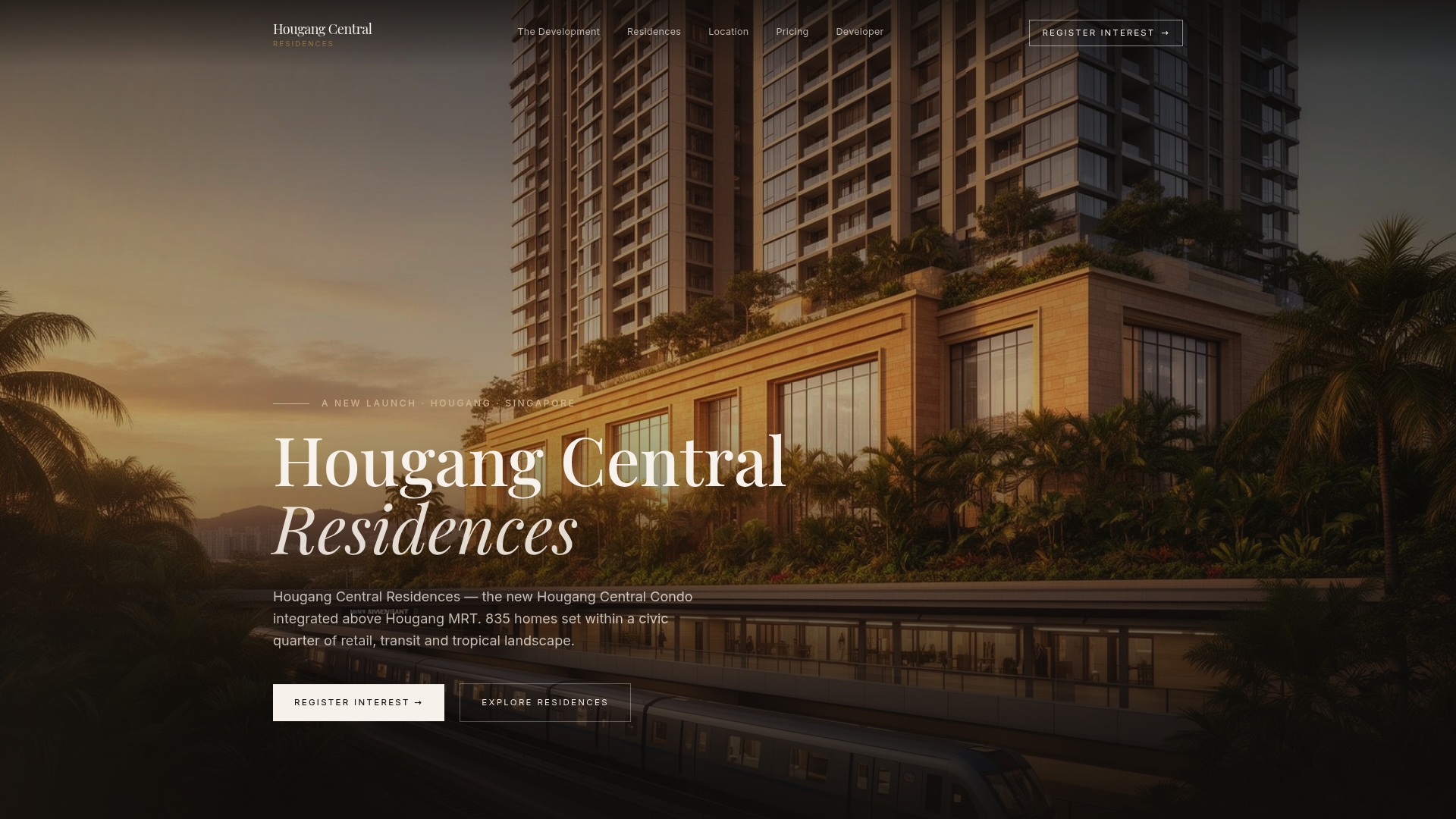
The smart-home features at Hougang-central-residences are designed to meet the criteria in this checklist: integrated climate control, automated lighting, and security systems paired with premium European fittings and tropical landscaped common areas. Buyers who want a condo where the technology infrastructure is already in place, rather than promised as an add-on, will find Hougang-central-residences worth a close look.
FAQ
What is the most important item on a smart-home checklist for new condos?
Wired infrastructure, specifically Cat6A cabling and a structured wiring panel, is the most critical item. It determines which systems you can install and upgrade without opening walls.
How much does a smart-home system cost in a new condo?
Costs range from $500 for a basic entry-level setup to $10,000 or more for full professional integration, depending on the number of devices and the complexity of the installation.
What is the Matter protocol and why does it matter for condo buyers?
Matter is an open interoperability standard that allows smart devices from different brands to work together across Apple Home, Google Home, and Amazon Alexa. Condos with Matter-certified systems give residents the most flexibility to add or replace devices over time.
How do I avoid buying a condo with an obsolete smart-home system?
Ask the developer for the firmware update policy and confirm whether the system supports local control without a cloud connection. Systems dependent on a developer-run cloud server are the highest risk for long-term obsolescence.
Is a smart thermostat worth the cost in a new condo?
A smart thermostat saves 10–15% on heating and cooling costs annually, according to EPA estimates. Over a standard lease or ownership period, that saving typically exceeds the purchase and installation cost within the first two years.