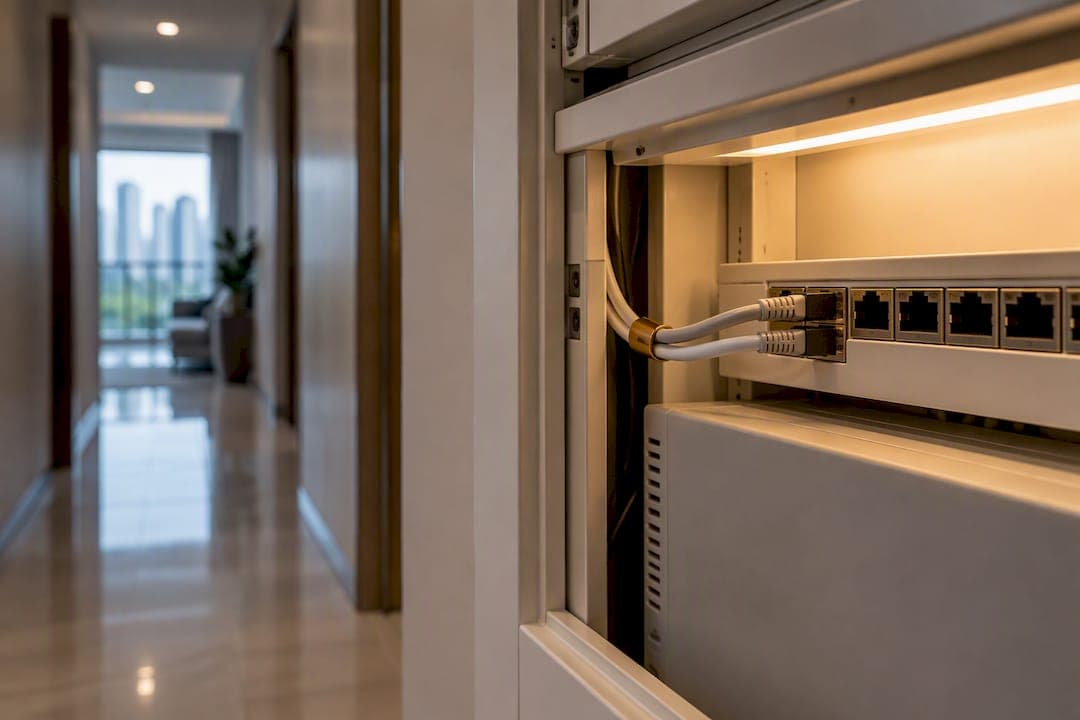
For most multi-room Singapore condos, a mesh Wi-Fi setup with wired backhaul where possible is the best balance of coverage and speed. If your unit is a compact one or two-bedroom with a simple layout, a single well-placed router may do the job just as well. The right call depends on your floor plan and whether you can run a cable between nodes. IMDA guidance and local ISPs like Singtel and StarHub both offer mesh-ready bundles that make this easier than it used to be.
TL;DR:
- Mesh systems with wired backhaul deliver more consistent speeds and lower latency, especially in high-rise condos with dense building materials that block signals.
- Wireless backhaul tends to suffer throughput drops and latency issues in dense neighborhoods, making wired or MoCA backhaul preferable when possible.
- Placement of nodes is critical; keep the main unit central, elevated, and away from metal or concrete obstructions to maximize coverage.
- For smaller, open-plan units, a single high-end Wi-Fi 6E or Wi-Fi 7 router may suffice, while larger or complex layouts benefit from mesh with wired backhaul.
- Incorporating structured cabling during renovation or in new developments eases setup and improves network reliability, reducing the need for multiple nodes.
Table of Contents
- What is a Wi-Fi mesh system and how does it differ from extenders?
- How mesh works: backhaul, bands and the trade-offs that matter
- Do you need mesh in your condo? A quick decision checklist
- Placement and wiring: what actually works in Singapore condos
- How to choose a mesh solution for a Singapore condo
- Setting up your mesh system: a checklist and simple tests
- Common mesh problems and how to fix them
- How smart-home wiring in new condos simplifies Wi-Fi planning
- Balancing cost, complexity and coverage in your condo
- A condo built with the wiring already sorted
- Official guidance and product pages to consult
- Sources
- FAQ
What is a Wi-Fi mesh system and how does it differ from extenders?
A mesh Wi-Fi system uses two or more units, usually called a main node and satellite nodes, that work together as one network instead of several separate ones. Every node broadcasts the same network name, and your phone or laptop hops between them automatically as you move through the condo, without you ever touching a settings menu. This is the biggest practical difference from an old-style Wi-Fi extender, which creates a second network with its own name and often forces you to switch manually when signal drops.
A traditional extender also just repeats whatever signal it receives, weaker with every repeat. A mesh system, by contrast, has a controller (sometimes built into the main node, sometimes cloud-managed through an app) that actively manages which node serves each device and can shift traffic to keep speeds consistent.
Wired access points sit somewhere in between. An AP wired back to your router gives full-strength signal at that location without the wireless handoffs of mesh, but it doesn't roam your devices between access points the same seamless way unless it supports the same roaming standards.
When you're comparing options sold in Singapore, a few terms are worth recognizing on the box or spec sheet:
- EasyMesh is an industry standard meant to let mesh nodes from different brands work together, though certification and real-world compatibility can vary.
- 802.11k/v/r are the roaming protocols that let your phone switch nodes without dropping a video call or game session.
- WPA3 is the current Wi-Fi security standard and worth checking for on any mesh system you're considering.
IMDA's guidance also points out that dense building materials such as metal and concrete, common in Singapore's high-rise condos, significantly hinder wireless signals, which is exactly the problem mesh systems are designed to solve.
How mesh works: backhaul, bands and the trade-offs that matter
The most important word in any mesh setup is backhaul: the connection nodes use to talk to each other and relay traffic back to your router. Get this wrong and even an expensive mesh system underperforms a single decent router.
There are three main options. Ethernet backhaul, running a physical Cat6 cable between nodes, gives the most predictable performance and is largely immune to the wireless interference that plagues high-rise buildings. MoCA backhaul repurposes existing coaxial cable, often already run to multiple rooms in older Singapore condos for cable TV, and offers a similar reliability advantage without new wiring. Wireless backhaul, where nodes talk to each other over the air, is the fastest to set up but tends to suffer throughput penalties and variable latency in dense, multi-unit buildings, where dozens of neighboring networks are all fighting for the same limited spectrum.

Modern tri-band and Wi-Fi 6E or Wi-Fi 7 mesh systems try to work around this by dedicating an entire band, often 5GHz or the newer 6GHz, exclusively to backhaul traffic, leaving other bands free for your devices. This reduces the airtime penalty that plagues cheaper dual-band mesh kits, where nodes and client devices compete for the same channel.
This is also where "hops" come in. Every time a signal has to jump from your router to a satellite node, then to another satellite node before reaching your device, you lose some speed and add latency. Two nodes with a strong, ideally wired, connection back to the router will almost always outperform four nodes daisy-chained wirelessly across a rambling floor plan. The instinct to add "just one more node" for extra coverage often backfires unless that node has its own solid backhaul path. A condo needs fewer, well-placed nodes more than it needs more nodes.
Do you need mesh in your condo? A quick decision checklist
Before spending money on a multi-node system, run through a short checklist. If several of these apply to your unit, mesh is probably worth it. If most don't, you may be better served by a single router or a wired access point.
- Unit size and room count: three or more bedrooms, or a floor area much beyond a standard one or two-bedroom layout.
- Awkward layout: long corridors, an L-shaped floor plan, or rooms at opposite ends of the unit.
- Duplex or split-level units: signal has to fight through a floor slab, which is one of the toughest materials for Wi-Fi to penetrate.
- Multiple heavy-use devices: several people streaming, gaming or on video calls simultaneously in different rooms.
- Thick walls or metal fixtures: common in older condos with structural columns or built-in cabinetry blocking direct line of sight to your router.
- Need for seamless roaming: you work from different rooms and don't want to reconnect manually as you move.
If your unit is compact and mostly open-plan, a single high-end Wi-Fi 6E or Wi-Fi 7 router placed centrally often covers the whole space without the added cost or complexity of multiple nodes. If you have one persistently weak spot, like a store room or balcony office nook, a single wired access point in AP mode can solve that specific problem more cheaply than a full mesh kit.
Placement and wiring: what actually works in Singapore condos
Where you put your nodes matters as much as which system you buy. A few placement habits carry over almost every time: keep the main node central rather than tucked in a corner, raise it off the floor where possible, and keep it away from metal cabinets, refrigerators and thick concrete columns that block signal.
Wiring is where condo residents often assume they have no options, but most units have more flexibility than expected.
- Run Ethernet where you can. Cat6 or Cat6A cable, routed through existing trunking or utility ducts, gives you the most reliable backhaul and is worth the one-time effort during a renovation.
- Use MoCA if coax is already there. Many Singapore condos have coaxial points from older cable TV wiring; a MoCA adapter turns that into a wired backhaul link without opening walls.
- Treat powerline adapters with caution. They can work, but performance drops sharply if nodes sit on different electrical phases or circuits, which is common in larger units with separate distribution boards.
- Talk to your condo's management office before drilling or running new cable through common risers, since some buildings have rules about modifying shared conduits.
IMDA's home networking reference guide recommends structured cabling with a central distribution panel and a hybrid setup: wired connections for fixed, high-bandwidth devices like smart TVs or desktops, and Wi-Fi mesh for everything mobile. That combination tends to be the most resilient plan for a condo, rather than relying on wireless for everything.
Pro Tip: If you're planning a renovation, decide where your network distribution panel will sit before finalizing electrical and carpentry plans. Positioning it near your router gateway (RG) point makes structured cabling far simpler and cheaper to add later.
How to choose a mesh solution for a Singapore condo
Picking a mesh system in Singapore usually comes down to matching a few technical criteria to your unit's actual needs rather than chasing the newest label on the box.
- Wi-Fi standard: Wi-Fi 6E or Wi-Fi 7 support matters if you're on a next-generation broadband plan, since IMDA recommends routers that support these standards to avoid bottlenecking multi-gig connections.
- Backhaul flexibility: check whether the system supports Ethernet or MoCA backhaul in addition to wireless, especially if your unit has existing cabling.
- Node count and expandability: confirm you can add nodes later without replacing the whole system.
- Roaming protocol support: look for 802.11k/v/r compatibility for smoother handoffs between rooms.
- EasyMesh certification: useful if you want the option to mix brands later, though certification and cross-vendor interoperability can vary in practice.
- Security features: WPA3 support and easy guest network setup should be standard by now.
- Warranty and local support: matters more than most buyers expect once something needs replacing.
In the Singapore market, you'll generally see three categories. ISP-bundled mesh, offered by providers like Singtel and StarHub as part of a broadband plan, is convenient and pre-configured but can tie you to that provider's ecosystem. Retail mesh systems bought independently give more flexibility and often better hardware for the price. A single high-end Wi-Fi 7 router is worth considering for smaller units that don't need multiple nodes at all.
As a reference point for what a Singapore-market mesh router's spec sheet looks like, the TP-Link HB611, sold through Singtel, lists 6GHz support and EasyMesh compatibility, though it also notes that certification claims may not always translate into guaranteed cross-vendor performance. That caveat is worth checking on any product page before you buy, not just this one.
Setting up your mesh system: a checklist and simple tests
Before you touch any hardware, confirm the basics: your current broadband speed, where your ONT (optical network terminal) is located, whether you have spare Ethernet or coax points, and whether your condo requires any permission for cabling work in common areas.
- Connect the main node directly to your router gateway (RG) or ONT and let it fully boot before adding anything else.
- Add satellite nodes one at a time, following the app's placement guidance, rather than powering on all nodes at once.
- Check each node's backhaul signal strength in the app before moving to the next; a weak link here undermines everything downstream.
- Enable band steering and roaming features (usually on by default) so devices hop nodes automatically.
Once it's running, test it properly rather than assuming it works. Run a speed test in your living room, then repeat it in the bedroom farthest from your main node. A large gap points to a backhaul or placement problem rather than a router issue.
A wired Ethernet or MoCA backhaul link is usually the single most effective way to eliminate mesh throughput penalties in a condo, according to guidance on backhaul trade-offs, so if your walk test shows a big speed drop between rooms, check that link first before assuming a node is misplaced.
Walk slowly between rooms during a video call to confirm roaming works without a noticeable pause. If speeds stay poor after repositioning and a firmware update, it's time to call your ISP's support line or consider a professional installer, particularly if the issue turns out to be building wiring rather than the mesh hardware itself.
Common mesh problems and how to fix them
Mesh systems solve a lot of coverage problems, but they introduce their own quirks that are worth knowing before you install one.
- Sticky clients: your phone sometimes stays connected to a distant node instead of switching to a closer one; fixing this usually means enabling stronger band-steering settings or, in stubborn cases, briefly disabling Wi-Fi on the device to force a reconnect.
- Channel congestion: dense high-rise living means dozens of neighboring networks competing for the same channels, which is part of why IMDA's proposed 6GHz allocation is aimed at relieving spectrum pressure in exactly this kind of environment.
- Weak backhaul links: the most common root cause of poor mesh performance, usually fixed by repositioning a node closer to line of sight or switching to wired backhaul.
- SSID confusion: using separate network names per node defeats the purpose of mesh, so stick to one unified network name across all nodes.
When placement fixes don't help and you keep hitting the same dead zone, a wired access point placed directly in that room is often a more reliable fix than adding yet another mesh node.
Pro Tip: If one room consistently underperforms no matter where you place a node, run a temporary Ethernet cable to a wired access point there before buying another mesh unit. It's a faster diagnosis than guesswork.
How smart-home wiring in new condos simplifies Wi-Fi planning
Retrofitting structured cabling into an existing condo means opening walls, negotiating with management, and living with drilling noise for a weekend. Moving into a unit that already has a planned network distribution panel and pre-run cabling skips all of that.
A new condominium designed with smart-home systems built in from the start means the network layout question can be addressed at the design stage rather than left to whatever cabling may already exist. Positioning a distribution panel near the main entry point can make it simpler to run Cat6 or Cat6A cables to key rooms without later renovation work.
For residents planning their move-in, mapping out where a mesh main node and any wired access points will sit, before furniture arrives, makes the eventual setup faster and avoids the awkward cable-routing compromises that come with retrofitting. The smart-home features checklist for new condos is a useful starting point for anyone thinking through this ahead of a move.
Balancing cost, complexity and coverage in your condo
If you take one thing from this, take this: match the solution to your unit, not to whatever looks most impressive on a shelf. A compact one or two-bedroom condo rarely needs a three-node mesh kit. A sprawling four-bedroom or duplex almost always benefits from one, provided at least one link back to the main node is wired rather than wireless.
My practical advice is simple. If you're in a smaller unit with a straightforward layout, reposition or upgrade to a single strong Wi-Fi 6E or Wi-Fi 7 router before spending on mesh. If you have a larger or oddly shaped unit, install a two-node mesh system with wired backhaul to the farthest point rather than adding nodes wirelessly. If you're planning a move and want the wiring question solved before you unpack, it's worth checking a condo's smart-home provisions early rather than treating Wi-Fi as an afterthought.
— Simon
A condo built with the wiring already sorted
If you're weighing mesh systems partly because your current place makes cabling a hassle, that's a problem some new developments solve before you move in. A condominium development located above Hougang MRT features units with smart-home systems and premium European fittings incorporated, along with a distribution panel layout designed to facilitate structured cabling without being an afterthought.
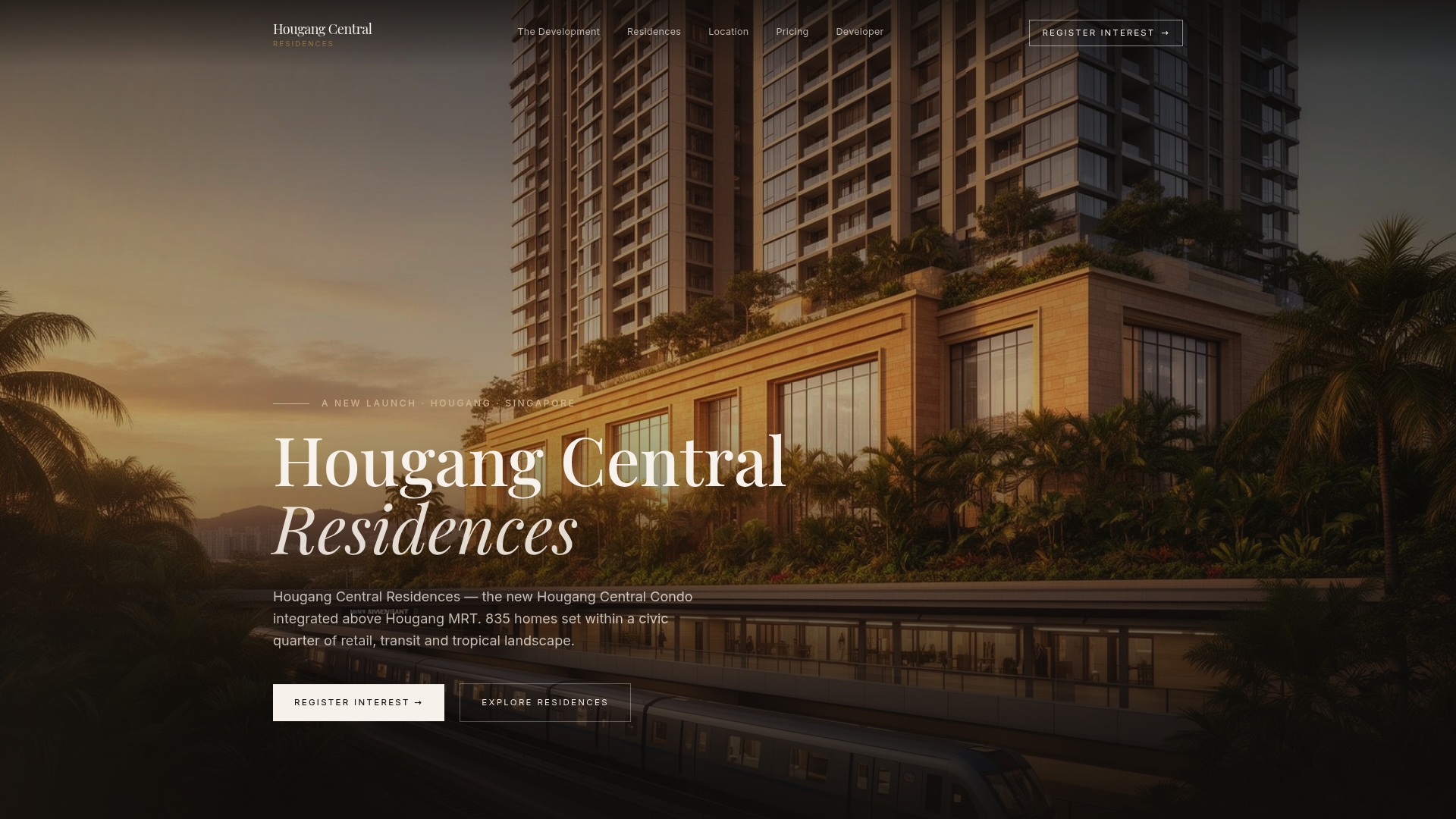
Unit types may range from smaller to larger layouts, which allows matching router or mesh system choices to the actual floor size; some developments lay the groundwork to simplify wiring needs for such setups.
| Feature | Relevance to Wi-Fi planning |
|---|---|
| Smart-home systems | Built-in wiring reduces retrofit work for mesh backhaul |
| 1 to 5-bedroom unit range | Lets you match router or mesh choice to actual floor size |
| Above Hougang MRT interchange | Integrated development with retail and transit access |
Pricing for Hougang Central Residences starts from $2,800 SGD one-off per square foot, and full unit layouts are available on the residences overview page if you want to compare wiring-relevant floor plans before deciding.
Official guidance and product pages to consult
- IMDA nationwide broadband guidance
- TP-Link HB611 product page
- Singtel and StarHub bundled mesh product pages
Sources
- Nationwide Broadband Network | IMDA
- HB611-SGST | Singtel WiFi 7 Router | TP-Link Singapore
- WiFi backhaul guide — Techscribe
FAQ
What is the best WiFi mesh device for home use in Singapore?
There is no single official "best" device; the right choice depends on your unit size, backhaul options and whether you want an ISP-bundled system or a retail one. Check for Wi-Fi 6E or Wi-Fi 7 support as IMDA recommends, along with EasyMesh certification and wired backhaul options, before comparing specific models.
What are the disadvantages of mesh WiFi?
Mesh systems can suffer from sticky client behavior, where devices stay connected to a distant node instead of switching, and from throughput penalties when backhaul relies on wireless rather than a wired link. In dense Singapore high-rises, channel congestion from neighboring networks can also reduce performance compared to a well-placed single router.
Will mesh WiFi go through walls?
Mesh Wi-Fi handles walls better than a single router because nodes are spread through the unit, but dense materials like concrete and metal, common in Singapore condo construction, still weaken signal between nodes. IMDA notes that these building materials significantly hinder wireless signals, which is why node placement and wired backhaul matter more than the mesh label itself.
How much does Singtel's mesh router cost?
Pricing for ISP-bundled routers like the TP-Link HB611 sold through Singtel is not listed publicly on the product specification page and typically depends on the broadband plan bundled with it. Check Singtel's own plan pages directly for current bundle pricing tied to a specific broadband package.